Banana Bread - A Valid Reason to Use Time-Blindness Mode!
I've ruined many a kitchens. I can ruin toast. Sometimes, it takes me 45 minutes to successfully make a box of Kraft Dinner. More than once, I've questioned why I'm standing beside a bowl of overripe bananas. My AHDH doesn't care which room I'm in.
Time-Blindness is a kitchen nightmare
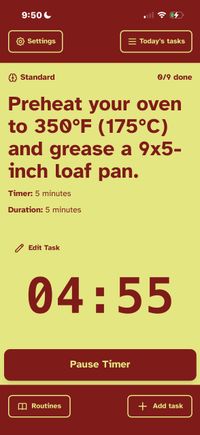
I didn't make TearOff's Time-Blindness mode to help me with my very specific inability to bake banana bread, but it certainly works to do just that. Using TearOff's Rapid Routines and the Time-Blindness cognitive mode, TearOff turns into a oddly helpful kitchen tool.
Making the Routine
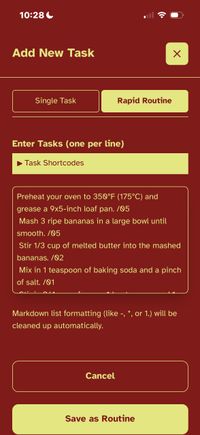
- Tap on
Add Taskin the bottom right of the app. - Select
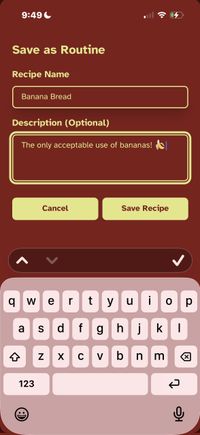
Rapid Routineand paste in your recipe make sure to add a /20 (or whatever the appropriate duration is) after each line. - Save it as Routine and give it a helpful name and description.
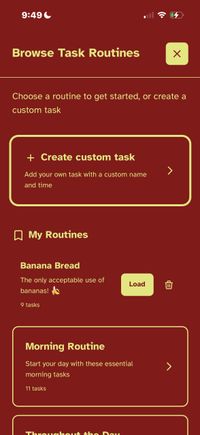
- Now tap on
Routinesin the bottom left corner of the app - Fine your new recipe routine and tap the 'Load' button.
- Good luck making with your Banana Bread attempt!
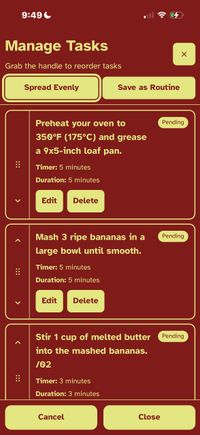
Don't Forget! If you missed a step, you can always head back to the Manage Tasks screen to refresh your memory or bring that step back into your stack.
Warning! Some people have been known to add walnuts to their banana bread. I will not be making a comment for or against this.