The To-Do List the Day After - Morning Check-in
I usually have a pretty long list of things I hope to get done on any given day and in most cases, I don't get them all done. Somedays, I don't get any of them done so my stack of tasks remains untouched.
When I used apps like Apple's Reminders app my phone, it would stress me out to see things showing in red after I failed to get around to something I wanted to get done. Eventually, I would stop opening the app to avoid it. I would try instead to create alarms named for the task. This was worse. So much fucking worse. The dread of waiting for the alarm to fire led to me leaving my phone in silent mode all the time. Not helpful.
TearOff's Morning Check-in
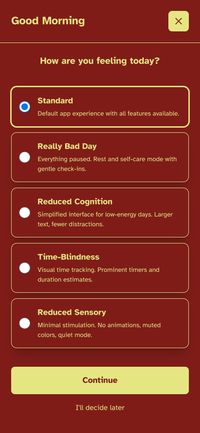
When you first open TearOff on a new day, it doesn't show your task stack at first, it display a check-in screen to see where your head is at. The option I choose doesn't impact the task stack but it does change the apps behaviour to match your state (this can be changed at anytime in Settings).
I want my list of tasks, but I don't want the stupid list judging me when I don't finish it. So when I built TearOff, I wanted a way to see the list and start the day fresh.
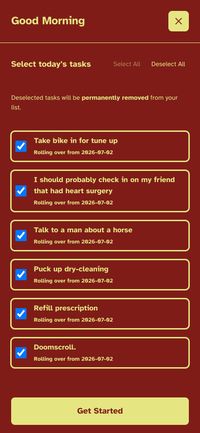
Usually, I just check everything that I didn't finish because I can just mark tasks as 'Skip for Today' and it will show up again tomorrow morning. No harm, no foul.
Managing the Stack
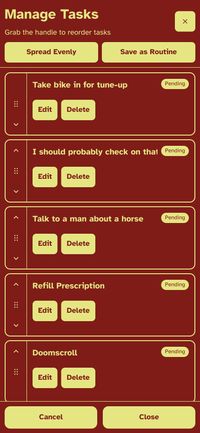
I can keep the stack order as is or I can re-order them how I see fit. The stack order is not immutable. If yesterday I wanted to fix my bike first and today I wanted to see a man about horse, I just drag them in the order I want.
Meet Me Where I'm At & Whither Brain Fog
Another fun part of ADHD, or Brain Fog, or executive dysfunction in general is the ability to forget things you just saw. It happens to me all the time. In fact, it just happened to me. Anyways, sometimes I forget the next thing I was thinking of. It's just gone. Luckily, I can take a peek at the next task to remind me.
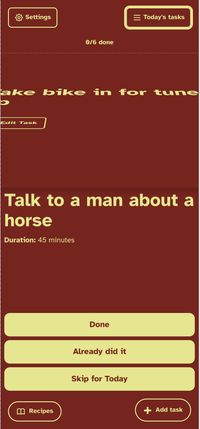
If you're on a phone, you can grab from the bottom of the task sheet and start tearing it off - as you do, the next task in your stack will be visible underneath your current task.
TearOff's Morning Check-in is meant to check my capacity that day and only commit to what I feel is possible. And even then, if I leave a bunch of tasks pending or mark a bunch as 'Skip for Today', they'll show up again during tomorrow's Morning Check-in and for today, I have my single stack of task. One at a time. No overwhelm.